
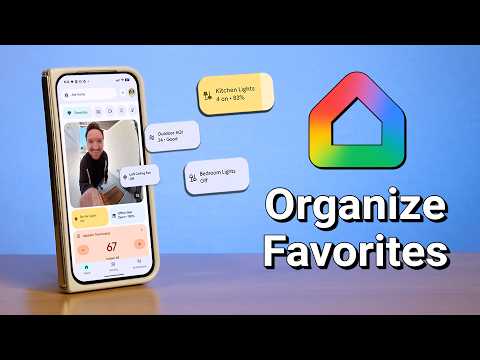
Now that you have added your devices to the Google Home app we can use the favorites tap to find our favorites much easier.
00:00 Google Home Favorites
00:34 Edit Favorites
01:40 Sort Favorites
02:43 Accounts Tab Per User
12:47 Add from Device
13:44 Google TV Favorites
SUBSCRIBE here, it’s FREE!
Check out these products I use and have reviewed:
Tech With Brett is a participant in the Amazon Services LLC Associates Program, an affiliate advertising program designed to provide a means for sites to earn advertising fees by advertising and linking to amazon.com.
Connect with me:
What devices do you have on your favorite tab?
– I don’t have that option to add a device (from it’s settings) to Favourites. Could it be an Apple iOS only feature. Or maybe you’re in Public Preview? Or only certain brands?
– Contact sensors at the top to instantly see what doors are open.
– I prefer to swipe to the Lights section as they’re divided into Rooms.
– All my plugs are in Climate so then I can turn them on or off after a certain time with a voice command.
– Broadcast through Ask Home does work now (Android).
How do you get your ” buttons ” smaller to be able to have them side by side? Mine are long blocks that run all the way across the screen. I’m using an S23 Ultra ( switching to 26 next week ). I’d add a couple more things to my favorites if I could get them like that. I sacrificed a few things because I didn’t want to still have to scroll way down to get to things.
I really appreciate seeing Google home videos from you. Seems like everything is either apple home or home assistant nowadays.
the lock could be on fingerprint verification