
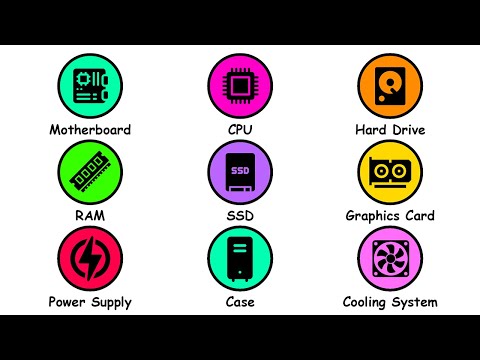
https://www.youtube.com/watch?v=OdziYWEkDIM
Every famous computer component gets explained in 3 minutes!
Join my Discord to discuss this video:
Subscribe and activate the bell!
💼 Business Mail: operamp4@gmail.com
— TIMESTAMPS —
0:00 Motherboard
0:19 CPU
0:40 Hard Drive
1:04 RAM
1:41 SSD
1:54 Graphics Card
2:21 Power Supply
2:32 Case
2:48 Cooling System
3:03 Wireless Card
— DISCLAIMER —
Do not use this video as your only source of information. This video is for edutainment and entertainment purposes only. It should not be used as the sole basis for decision-making or forming an opinion. Always cross-reference with other sources. This channel’s goal is to spark your curiosity and let you do your own research on these topics.
— COPYRIGHT —
For any copyright questions, feel free to reach out. Please use “Copyright Question” as the subject line in your email. You can contact me at operamp4@gmail.com
— AI USE —
The voiceover is generated using standard, generic AI Text-to-Speech (TTS) presets; no famous people’s voices were cloned or mimicked. AI was used as a creative assistant to aid with research, scriptwriting, and polishing. Finally, all drawings are created by a real human artist, with AI used only rarely for technical adjustments like quality upscaling, image expansion, or supplementary image generation. Unlike other channels that run on fully automated, no-human workflows from ideation to upload, this content does have actual human intervention.
Not CPU IT’S PROCESSOR
Good video well explained
RAM losing its contents when the computer turns off is a useful distinction from storage. More memory and more disk space solve different problems.
Motherboard main component of the pc, Connects all the components together so they can communicate, relatively cheap
CPU- central processing unit, Brain of the computer solves complex math problems
Hard drive(HDD) – Storage for data. slow compared to SSD because it uses a spinning disk
RAM- also called short memory system, stores data but unlike the HDD or SSD its a lot faster but has less space. CPU allocates information on it from the hard drive so it can be used quicker.
SSD- solid state drive, same goal as the HHD but much faster and usually more expensive, has 2 versions – SATA and M.2 where m2 is directly inserted into the motherboard and usually the fastest while SATA uses a wire.
GPU- graphics card- Creates the entire thing you see on screen, it decides which pixels lights up which color, some CPUs come with integrated graphics and dont require a GPU to be installed but those are a lot less powerful
PSU- power supply- powers everything you have inside the pc, has to be safe and powerful enough for your components
Case- its role is to create airflow for the components and it is where all the components are stored – 3 types full tower the biggest mid tower and mini tower the smallest
Cooling systems- Some component give away heat when doing the operations like the CPU and GPU, they require good airflow in order to not overheat and not meltdown, There are two types Liquid and air cooling
Wireless card, WiFi chip which allows you to use Bluetooth and Wifi without the need for an ethernet cable
Great video explained!