
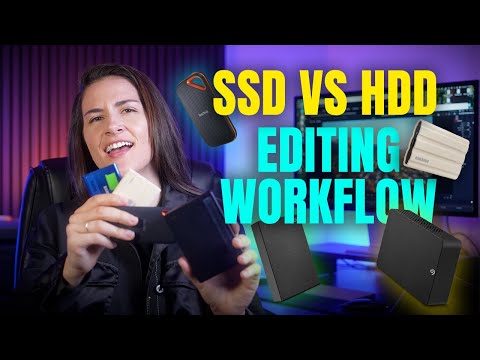
In this tutorial, I break down the difference between SSDs and HDDs, when to use each one, and how to set up a solid backup and offload workflow. Whether you’re a filmmaker, video editor, or content creator, this is some useful information that’ll help your editing workflow!
SSD’s THAT I PERSONALLY USE:
1. 1TB SAMSUNG T7 SHIELD
2. 2TB SAMSUNG T7 SHIELD
3. 4TB SAMSUNG T7 SHIELD (Current favorite and most used)
4. SanDisk 1TB
5. SanDisk 2TB
6. SanDisk 4TB
HDD’s THAT I PERSONALLY USE:
1. Seagate 5TB HDD
2. Seagate 16TB HDD
Looking for video editing and/or creative subtitles?
GET 10% OFF SUBMAGIC using code KT10 (AWESOME editing tools at an affordable rate!). Or visit the link:
Let’s connect!
Instagram:
TikTok:
(2) FREE MONTHS on Motion Array (with a one year plan):
(2) FREE Months on Artlist (Sign up for 1 year, get two months free):
For business inquiries ONLY: ktvisualsmedia@gmail.com

This is the best video workflow tutorial I’ve seen. Short, sharp and clear! Thanks so much.
Great, clear explanation, Katie! When you finish your project, what do you do with the files on the SSD and the HDD? Delete all, delete some, or leave them all and buy more SSDs and EHDs?
Hey, I need your advice regarding data storage and backup. I’m a stage performer and comedian, and I record approximately 50 GB of footage from every show. Out of that, around 5 GB consists of the final, edited videos that are good enough to upload to social media or share with event managers.
I’m confused about the best way to manage and back up all this data. Should I buy two separate 1 TB external HDDs and keep duplicate copies of my footage on both drives? Or should I store all the raw footage on an HDD and upload the final edited videos to Google Drive as an additional backup?
Recently, I had a terrible experience with my WD external HDD. It stopped appearing in File Explorer, although it was still visible in Disk Management. This experience has made me worried about losing years of valuable show recordings.
Please help me decide what would be the most reliable, practical, and affordable solution for someone like me who generates a lot of video footage regularly.
**What would you personally recommend: two separate 1 TB HDDs, or one HDD plus Google Drive for backing up the final edited videos?** I’d really appreciate your advice because I’m genuinely confused about what to do next. Thank you so much!
I have recently bought Mac mini m6 base model.. do this support the ssd speed more than 1000MB/sec. cuz I’m considering to buy Samsung T9 speed 2000MB/sec… please suggest
Fantastic video, thank you! I am about to start a feature length project and large SSD’s are extremely expensive as you need a larger size, is it ok to edit off of a HDD?