

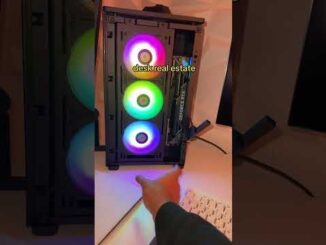
One of our subscribers specced this $6,000 dream gaming PC themselves on the GeekaPC configurator, and today I’m the one putting it together! It’s built around a Ryzen 7 9800X3D, an ASUS Prime RTX 5080 and NZXT’s Kraken Elite 360, all inside a HYTE Y70 Touch Infinite with a full Lian Li UNI FAN SL INF Flex upgrade… and what a system it is!
Check Out the GeekaPC Configurator! 👉
Buy Our Gaming PCs as Prebuilts from GeekaPC! (UK) 👉
Amazon (US) [PAID LINKS]:
CPU:
CPU Cooler:
Motherboard: TBC
RAM:
SSD:
GPU:
Case:
PSU: TBC
Fans: TBC
Amazon (UK) [PAID LINKS]:
CPU:
CPU Cooler:
Motherboard: TBC
RAM:
SSD:
GPU:
Case:
PSU:
Fans: TBC
Amazon (Global) [PAID LINKS]:
CPU:
CPU Cooler:
Motherboard:
RAM:
SSD:
GPU:
Case:
PSU:
Fans: TBC
Newegg (Global) [PAID LINKS]:
CPU:
CPU Cooler:
Motherboard:
RAM:
SSD:
GPU: TBC
Case:
PSU: TBC
Fans: TBC
Full Build Parts List:
CPU: AMD Ryzen 7 9800X3D
CPU Cooler: NZXT Kraken Elite 360 RGB
Motherboard: ASUS X870E-E Gaming WiFi
RAM: Corsair Vengeance RGB 32GB DDR5 Black
SSD: Samsung 9100 PRO 2TB
GPU: ASUS PRIME 5080
Case: HYTE Y70 Touch Infinite
PSU: ASUS ROG STRIX 1200W PLATINUM
FANS: Lian Li UNI FAN SL INF FLEX 120
Check out our Website!
Written Reviews:
PC Builds:
Please send any business enquiries (including review samples and sponsorship) to my Business Email: james@geekawhat.com
GeekaWhat is a participant in the Amazon EU Associates Programme & Amazon Services LLC Associates, an affiliate advertising programme designed to provide a means for sites to earn advertising fees by advertising and linking to Amazon.co.uk & Amazon.com.
0:00 Intro
1:01 Built Using the GeekaPC Configurator
1:40 CPU – AMD Ryzen 7 9800X3D
1:59 GPU – ASUS Prime RTX 5080
2:25 Motherboard – ASUS ROG Strix X870E-E Gaming WiFi
3:48 PSU – ASUS ROG Strix 1200W Platinum
4:23 RAM – Corsair Vengeance RGB 32GB DDR5-6000 CL36
4:43 SSD – Samsung 9100 Pro 2TB
5:00 CPU Cooler – NZXT Kraken Elite 360 RGB
5:38 Lian Li Fan Upgrades on the Configurator
6:19 Lian Li UNI FAN SL INF Flex
8:02 Case – HYTE Y70 Touch Infinite
9:32 Installing the CPU, RAM & SSD
10:02 Motherboard Install
10:59 Front Panel Cables
12:07 Power Supply & Cable Management
14:19 Swapping the Cooler Fans
17:08 Cooler Install
17:24 Fantage
18:03 GPU Install
20:28 First Boot
21:09 Jay’s Cable Check
21:47 Montage!
22:27 Gaming Benchmarks
22:35 Control Resonant
23:09 Gears of War: E-Day
23:57 Forza Horizon 6
24:25 Marvel Rivals, Battlefield 6 & Arc Raiders
24:44 Outro

Honestly I think more and bigger screen
7:28 2026-27 oct 5:21 PM
thermalright has quick disconnect fans like those lian li fans for a fraction of the price if you guys wanna add those to the website.
What do you use at the top of the screen to show fps etc?
Getting a marginally better experience than someone on a 9070xt build got for less than £2k.